Govee H613E BLE Control Script
This script uses the already reverse engineered Govee H613E Bluetooth commands to turn the light on and off.
Bluetooth Signal Considerations
The Bluetooth signal from the LED controller is relatively weak, or the built-in Bluetooth module on the host may not be powerful enough. It is recommended to scan for devices first before running the script to determine if the signal is strong enough, or if you might need a higher gain antenna for the host. In my experience, the antenna/signal booster on my PC and laptop was not strong enough to find the device, so I had to ensure a direct line of sight to connect and control the light. Keep this in mind when setting up your environment.
In contrast, my phone was able to find and connect to the device from further away. Therefore, place the host near the light or consider investing in a higher gain antenna or Bluetooth module for the host.
Usage
-
Set the Govee BLE MAC address in the script:
GOVEE_ADDRESS = "A4:C1:38:xx:xx:xx" -
To see the available commands, run:
python govee_control.py -
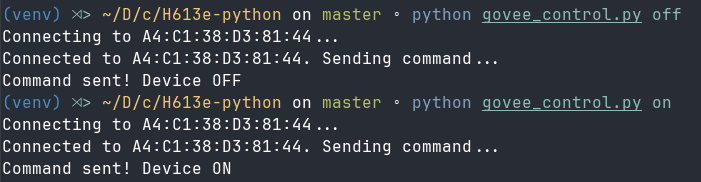
To turn the light on, run:
python govee_control.py on -
To turn the light off, run:
python govee_control.py off -
To scan for devices, run:
python govee_control.py scan